Dave’s Hot Chicken®
- 3.3
- Rating
- 500.00K
- Installs
- Free
- Price
 Analysis by App-foxy
I usually judge a restaurant app by one simple question: does it make ordering easier than standing in line or using the restaurant’s website? Dave’s Hot Chicken® is built for that exact moment. It is a free Food & Drink app from Dave’s Hot Chicken, focused on ordering the chain’s hot chicken, tenders, sliders, fries, and related menu items. After using it, I found a straightforward companion for people who already enjoy Dave’s and want a quicker way to plan a meal, rather than a broad restaurant-discovery tool.
The app has a clear identity, but it is not trying to replace every food-ordering service on your phone. Its value depends heavily on whether there is a Dave’s location convenient to you and whether you prefer ordering directly from the restaurant. That makes the experience more practical for regular customers than for someone casually browsing dinner ideas.
How the current Dave’s Hot Chicken experience feels
The first thing I noticed is how closely the app’s purpose matches the restaurant itself. There is no need to sort through unrelated cuisines, compare dozens of nearby businesses, or work around a marketplace full of competing menus. The experience is centered on Dave’s menu and the path from choosing food to placing an order.
You May Also Like

 Blood Strike: 2.5 Anniversary
Blood Strike’s Loadouts Turn Every Drop Into a Tactical Gamble
A close look at Blood Strike’s custom loadouts: how fast access to signature weapons reshapes its battle royale rhythm, rewards preparation, and narrows the gap between fights.

 Pandora - Music & Podcasts
Pandora’s Music Is Easy to Start, but Harder to Recover
Pandora’s strength is its low-effort path from a seed to a station. Its weak spot is how much confidence it asks you to place in connection, setup, and quiet recovery.

 8 Ball Pool
 Is Built on Rivalries, Rematches, and Routine
A close look at the rivalries, rematches, shared routines, and unanswered safety questions that turn a quick pool match into a persistent mobile community.

 Samsung Music
’s Quiet Strength Is Playing What You Already Own
Its reach comes less from spectacle than from dependable access to a personal library. That simplicity is both the app’s strongest retention engine and its ceiling.

 AccuWeather: Weather Radar
AccuWeather Review: A Quick, Clear Forecast for Everyday Decisions
For everyday plans, the best forecast is the one you can understand quickly. AccuWeather makes rain timing, radar, and local conditions easy to act on, with a few trade-offs.

 Hill Climb Racing
Why Hill Climb Racing Still Turns Crashes Into One More Run
A tiny car, a bumpy hill and one more upgrade: Hill Climb Racing keeps resurfacing because its simple chaos makes every near-miss feel personal.
More From Our News Desk
View All News


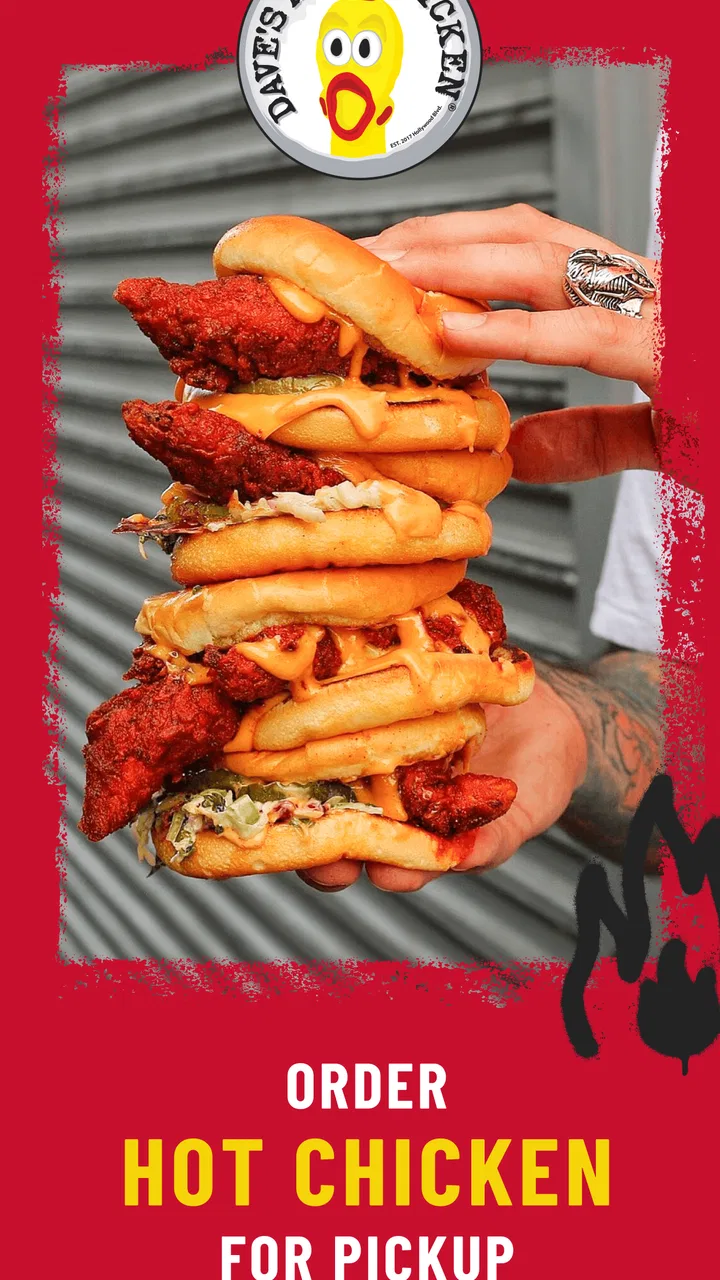
That narrow focus is a strength when I already know what I want. If I am craving a slider, tenders, fries, or a combination built around hot chicken, a dedicated app feels less distracting than a general delivery platform. It also keeps the restaurant’s own menu at the center instead of making it feel like one tile among hundreds.
At the same time, the focused design can feel limited when I am undecided. A general restaurant app is better if I want to compare Dave’s with another chicken place, check several cuisines, or find a meal based on distance and delivery time. Dave’s app makes the most sense after the decision to eat Dave’s has already been made.
The app is listed as suitable for Everyone, and it is free to install. It supports Android devices running version 8.0 or later, which covers a wide range of older phones. In practical terms, that makes it approachable for households where not everyone upgrades devices frequently.
Ordering works best when the decision is already made
My preferred way to use it is before I get hungry: I open the app, choose the restaurant location that fits my plans, decide between sliders, tenders, or a larger order, and check the order carefully before committing. That small amount of preparation matters because spicy chicken orders can become surprisingly specific. I want to know exactly which items I selected, especially when ordering for more than one person.
A realistic example is a weekday evening when I am leaving work and want to pick up dinner on the way home. Instead of arriving at the counter and trying to remember everyone’s preferences, I can assemble the order earlier and use the app as a planning tool. For a family or group, that is more useful than the app’s simple appearance might suggest: it gives me a place to settle the menu before the rush.
I also found that the app is more valuable for repeat habits than for one-time exploration. Someone who orders Dave’s only once may not feel a dramatic difference compared with ordering in person. A regular customer, however, can turn the app into a familiar shortcut, particularly when the usual order is known and the main task is choosing a location and checking out.
The menu deserves a careful second look
Dave’s menu is built around hot chicken, so spice level is not a minor detail. I would not rush through the selection screen simply because the choices look familiar. When ordering for another person, I would confirm their tolerance rather than assuming that “hot chicken” means the same thing to everyone. The app is most useful when I treat customization as part of the order, not as an afterthought.
One practical tip is to separate the ordering decision into two passes. First, choose the main chicken item and quantity. Then review sides, combinations, and any add-ons with the group in mind. This avoids the common mistake of building an order around individual cravings and only later realizing that there are not enough sides or that the portions do not suit everyone.
Another useful habit is to review the complete basket before submitting it, even when ordering a familiar meal. Restaurant apps can make repeated choices feel automatic, and that is exactly when an unwanted item or incorrect quantity can slip through. I consider the review screen a quality check, not just a formality.
What the version history suggests about the product
The current version is 5.3.7, while the app first appeared on April 18, 2023. That combination tells me this is no longer a brand-new experiment, but it is also a relatively young restaurant companion compared with long-established ordering platforms. The version number indicates ongoing maintenance, although a version label by itself does not tell me that every part of the experience has changed in a major way.
I prefer to separate what can be observed from what I might hope to see next. The current evidence supports treating the app as an actively maintained way to interact with Dave’s Hot Chicken, not as proof of a completely redesigned service. I would be cautious about expecting every update to add a visible feature; restaurant apps often spend releases improving reliability, compatibility, and the checkout path behind the scenes.
For existing users, that ongoing evolution is more important than a flashy redesign. A restaurant app earns trust when location selection, menu presentation, order review, and checkout remain dependable during the moments customers actually need them. Small improvements in those areas can matter more than decorative changes.
The app has reached over 500 thousand installs and carries an average rating of 3.3 from around 5.3 thousand ratings, alongside 928 written reviews. I read that rating as a signal to keep expectations measured. It suggests that many people find a use for the app, while the overall experience may not be equally smooth for everyone. I would install it because of the convenience of direct ordering, not because the rating promises a flawless experience.
What this means if you already order from Dave’s
If I were already a regular customer, I would give the app a fair trial during a calm order rather than testing it for the first time when a group is waiting. That lets me learn the flow, confirm that my preferred location appears correctly, and understand how the menu is organized without adding pressure to a busy meal.
For repeat orders, the main benefit is reducing friction. I can think through the meal away from the counter and arrive with a clearer plan. This is particularly helpful when ordering several different spice preferences or when one person wants tenders and another wants sliders. The app becomes a coordination tool, not merely a digital menu.
There is also a useful trade-off here. Direct ordering can feel cleaner than using a third-party marketplace because I am dealing with the restaurant’s own ordering channel. But a marketplace may offer a broader delivery comparison, a single account for multiple restaurants, or a more familiar tracking experience. If those features matter more to me than direct access to Dave’s menu, I may still prefer my usual alternative.
I would also avoid assuming that installing the app automatically solves every part of the meal. I still need to choose the correct restaurant location, allow enough time for pickup or the selected order method, and check the basket before confirming. The app can streamline decisions, but it cannot remove the need for ordinary order awareness.
Where the experience still has room to improve
The biggest limitation is its narrow usefulness. This is not an app I would keep for discovering a wide range of food. If Dave’s is not near my home, workplace, or travel route, the app has little everyday value. A general food platform will be more practical for comparing options across a city.
The average rating also makes me reluctant to describe the experience as universally polished. A restaurant app can be frustrating if a location is hard to identify, if the menu takes too long to load, or if the checkout process does not feel clear. I would not invent a specific failure and present it as a fact, but the rating is enough reason to keep a backup plan when timing matters.
Another gap is the difference between menu convenience and meal certainty. Seeing an item in an app does not mean the entire real-world experience will be identical at every location. Restaurant operations vary, and the app is only one part of the process. For an important group order, I would still leave enough flexibility for substitutions, timing changes, or a quick check with the location if something seems unusual.
People who need highly detailed dietary guidance should approach the app carefully. Hot chicken menus can involve seasoning, sauces, sides, and preparation details that matter greatly to someone with an allergy or strict dietary requirement. I would use the app to organize the order, but I would not treat a convenient interface as a substitute for confirming sensitive information directly with the restaurant.
Who should use it and who should skip it
I think the app is a good fit for three kinds of people. First are regular Dave’s customers who want a faster ordering routine. Second are groups that need to coordinate several chicken orders before arriving. Third are people who prefer a restaurant-specific app instead of placing every order through a large marketplace.
I would recommend skipping it if I am only looking for restaurant discovery, broad delivery comparisons, or a single app that handles every place I eat. It is also a weak fit if I rarely visit Dave’s or do not have a convenient location nearby. In those cases, the extra installation and account setup may not repay themselves.
It is less suitable for someone who wants a detailed food-planning experience. The app’s job is to help me order Dave’s, not to guide a weekly meal plan, compare nutrition across restaurants, or suggest alternatives based on a long list of preferences. Those needs call for different tools.
Questions I would consider before installing
Will it cost anything to download? No—the app is free. That makes trying it low-risk, although the absence of an installation charge does not mean every ordering choice has the same terms as ordering in person. I would still inspect the final order details before confirming.
Can an older Android phone run it? The listed minimum is Android 8.0, so I would check the operating system before downloading. That requirement is relatively accommodating, but phones below it will not meet the stated minimum.
Is it better than using a delivery marketplace? That depends on the job. For a Dave’s-specific order and a customer who values a direct restaurant channel, it is the more focused option. For comparing restaurants, combining orders, or using one familiar delivery workflow, a marketplace may be more convenient.
Is it worth keeping after one order? I would keep it if Dave’s is part of my regular rotation or if I often organize meals for several people. If the visit is occasional and I usually order from many different restaurants, I would probably rely on my broader food app instead.
Does the rating mean I should avoid it? Not automatically. An average of 3.3 is a reason to test the app during a low-pressure order, not a reason to dismiss it without trying. The right question is whether its direct ordering convenience outweighs any friction I personally encounter.
What I would watch in future updates
As the product continues beyond version 5.3.7, I would pay attention to improvements that affect confidence rather than appearance. Clearer order review, dependable location handling, and a checkout flow that remains understandable under pressure would have the greatest practical value for me.
I would also welcome stronger support for group ordering. Dave’s menu naturally suits shared meals, but coordinating different chicken choices and spice preferences can be the hardest part. Any future refinement that makes those decisions easier without adding clutter would improve the app for families, coworkers, and friends.
Another area worth watching is how well the app balances direct restaurant ordering with the expectations people bring from larger food platforms. Users increasingly want clarity about where an order is going, what they selected, and what happens next. The more confidently the app communicates those steps, the more likely I am to choose it over a familiar marketplace.
My final view is positive but specific: Dave’s Hot Chicken® is most useful as a focused ordering shortcut, not as a complete food-discovery service. I like the idea of planning a Dave’s meal before arriving, especially when several people are ordering different items. The free installation, Everyone age rating, and Android 8.0 support make it accessible, while the continuing version line shows that the app is being maintained.
Still, I would not recommend it to everyone. The modest average rating tells me to expect an experience that may depend on the device, location, and ordering situation. For regular Dave’s customers, the convenience can justify that trial. For occasional visitors or people who want one app for every restaurant, the usual marketplace may remain the better choice.
If Dave’s Hot Chicken is already one of my go-to meals, I would install it, place a small test order, and decide from there. That approach gives me the useful part—faster planning and a dedicated menu—without pretending that a restaurant-specific app can replace every other food-ordering option.
FAQs for Dave’s Hot Chicken®
01What is Dave’s Hot Chicken®?
Dave’s Hot Chicken® is the official mobile app for the popular Nashville-style hot chicken restaurant. It helps you browse the menu, choose your preferred spice level, find nearby locations, place orders for pickup or delivery where available, and keep up with promotions. The app is especially useful if you frequently order chicken tenders, sliders, fries, shakes, or combo meals and want a faster ordering experience.
02Can I customize the spice level and menu items in the app?
Yes. When ordering through the Dave’s Hot Chicken® app, you can generally select from the restaurant’s available heat levels, ranging from milder options to extremely spicy choices. Menu customization may also include selecting sides, drinks, sauces, and other meal preferences. Available choices can vary by restaurant, so it is worth reviewing the item details carefully before adding an order to your cart.
03Does Dave’s Hot Chicken® offer delivery and pickup?
The app may support pickup and delivery depending on your location and the participating restaurant. After entering your address or selecting a nearby store, the available ordering methods should be displayed before checkout. Pickup is usually convenient for avoiding delivery fees, while delivery availability, estimated times, service charges, and minimum order requirements can differ by market and may be handled through a third-party provider.
04Can I earn rewards or receive special offers through the app?
Dave’s Hot Chicken® may provide rewards, promotional offers, or other benefits through its app and account system. The exact program rules can change, including how points are earned, when rewards become available, and whether offers are limited to certain locations or menu items. Before placing an order, check the rewards or promotions section and review expiration dates and redemption conditions.
05Is Dave’s Hot Chicken® free to download and use?
The Dave’s Hot Chicken® app is generally free to download from the official Android or iOS app store. However, downloading the app does not make the food free, and the final cost may include item prices, taxes, delivery charges, service fees, or optional tips. An internet connection and location or account permissions may also be requested to provide ordering and restaurant-finding features.
Pros
- Clear menu with chicken-focused meals and customizable spice levels.
- Convenient ordering options for pickup
- delivery
- and dine-in visits.
- Generous portions make combo meals satisfying for many customers.
- Store locator helps users quickly find nearby Dave’s Hot Chicken locations.
- Digital menu makes it easy to check meals
- sides
- drinks
- and prices.
Cons
- Menu may feel limited if you prefer non-chicken or vegetarian options.
- Spicy levels can be intense
- especially for first-time customers.
- Prices may seem high when adding sides
- drinks
- or extra toppings.
- Nutrition and allergen details may require checking before ordering.
- Availability of delivery and app features can vary by location.

Dave’s Hot Chicken®
Gallery